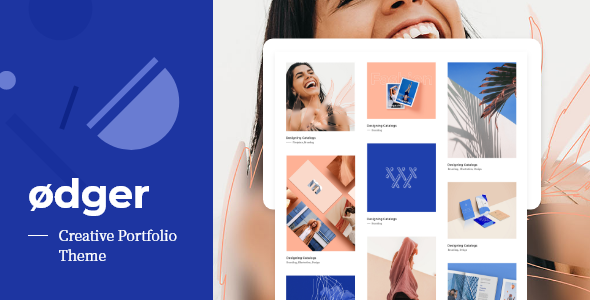
Ødger - Creative Portfolio WordPress Theme
WordPress of the Day

Ødger - Creative Portfolio WordPress Theme

5.0 FREE
  • Screenshot 1
  • Screenshot 2
  • Screenshot 3
  • Screenshot 4
  • Screenshot 5
  • Screenshot 6
  • Screenshot 7
  • Screenshot 8
  • Screenshot 9
  • Screenshot 10
  • Screenshot 11
  • Screenshot 12
  • Screenshot 13
  • Screenshot 14
  • Screenshot 15
  • Screenshot 16
  • Screenshot 17
  • Screenshot 18
  • Screenshot 19
  • Screenshot 20
  • Screenshot 21
  • Screenshot 22

Description

Transform your interior design vision into reality with Xinterio, the ultimate Interior Design WordPress Theme crafted with the latest Elementor Editor plugin. Perfect for professionals in interior decoration, architecture, and floor planning, Xinterio offers a versatile and user-friendly platform to showcase your expertise. Whether you’re an architect, a designer specializing in lighting and office spaces, or focused on modern portfolio creation, Xinterio caters to all your needs. Enhance your projects with stunning layouts for landscaping, furniture selection, and house decoration. The theme supports seamless integration of renovate, building, and re-design services, ensuring a comprehensive approach to every aspect of interior design. Elevate your online presence with Xinterio and captivate clients with a visually appealing and highly functional website. Overview Easy Installation and Setup with demo content wizard Built with Elementor Page Builder Customizer options panel with live preview. 15 Homepage Layouts Fully Responsive, your website will work on almost device A lot of options to manage from top to bottom Additional Widgets included. Custom typography. You can change font style, colour etc without touching code Unlimited Color Options with Backend Color Picker for any kind of gorgeous color settings. SEO Optimized: our Code is built with SEO best practice in mind. Child theme included for easy customization, that is not affected by theme updates. Online Documentation with video Support If you have any questions please create a new ticket on our official support system at https://pbminfotech.support/. We will resolve the query within 24 hours. Note Images shown in our live demo are not included in download package and demo content setup. They are replaced with free images or placeholders in demo content data. Release History v4.1 (01 May 2025) - Updated "Slider Revolution" plugin to the latest version v6.7.32 - [NEW ELEMENT] - New Before After element created - Xinterio Options and customizer menu design bug solved - [BUG SOLVED] Header slider meta options working now in blog classic page - Client carousel speed options bug solved - Add option for Show Sticky Header in Mobile - Some small bugs solved - Language file updated v4.0 (31th December 2024) - ADDED THREE NEW DEMO.. SO TOTAL NOW 9 DEMOS - Two Blog style added - Two Facts and Digit new style added - Two Header style added - Four Icon headging style added - Two Portfolio style added - Three Service style added - Two Static box style added - One Testimonials style added - Some small bugs solved - Language file updated. v3.0 (20th September 2024) - ADDED THREE NEW DEMO.. SO TOTAL NOW 6 DEMOS - Two Facts and Digit new style added - Three Header style added - Six Icon headging style added - Two Portfolio style added - One Pricing Table style added - One Service style added - One Team style added - Three Testimonials style added - Some small bugs solved - Language file updated. v2.1 (12th September 2024) - Updated "Slider Revolution" plugin to the latest version v6.7.18 - Latest elementor container width issue solved - Some small bugs solved - POT language translation file updated v2.0 (08th July 2024) - NEW: NOW ALL DEMO ARE RTL READY. ALSO AVAIABLE IN SETUP WIZARD TO GET RTL DEMO - POT language translation file updated - Some small bugs solved v1.1 (1st July 2024) - Updated "Slider Revolution" plugin to the latest version v6.7.14 - Category Sortable bugs solved - Some small bugs solved - POT language translation file updated v1.0 (7th June 2024) - Initial release.

Guides & Tutorials for Xinterio - Interior Design WordPress Theme + RTL

How to install Xinterio - Interior Design WordPress Theme + RTL
  1. Click the Preview / Download button above.
  2. Once redirected, accept the terms and click Install.
  3. Wait for the Xinterio - Interior Design WordPress Theme + RTL download to finish on your device.
How to use Xinterio - Interior Design WordPress Theme + RTL

This software is primarily used for its core features described above. Open the app after installation to explore its capabilities.

User Reviews for Xinterio - Interior Design WordPress Theme + RTL 0

    No reviews found
Similar Apps